How to connect to eduroam on macOS
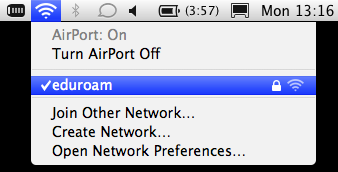
1. Click on the Wi-Fi Icon on the top right hand of the screen.
2. Select eduroam network from the list of available networks.
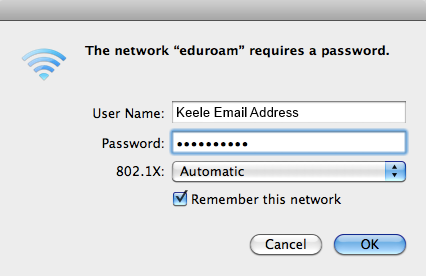
3. Username: Enter your Keele Email Address.
4. Password: Enter your Keele IT Password.
5. Ensure the 802.1x is set to Automatic.
6. Click OK.
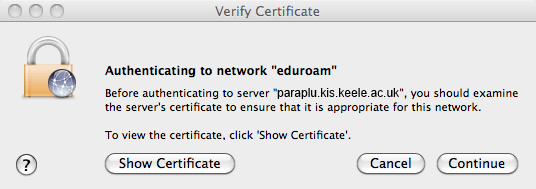
7. Click Continue.
8. You are now connected. If you do not want to be asked to login each time, tick Remember this network.
9. You may be asked to verify a certificate (as shown in the below image). This is fine to accept/continue.