How to connect to eduroam on Android
1. Click the Settings icon.

2. Click Wi-Fi or Network and Internet.
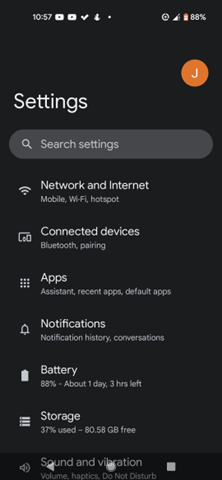
3. Click Internet.
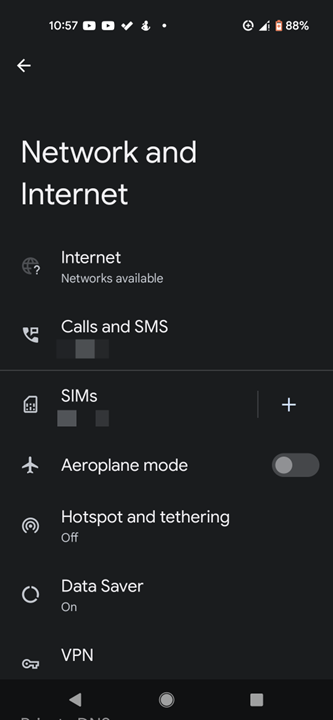
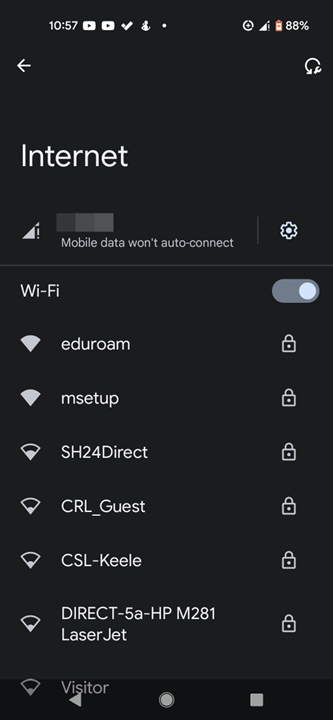
4. Make sure Wi-Fi is turned on and from the list of available wireless networks, select eduroam.
5. Select the following options:
- Select PEAP under EAP method
- Select MSCHAPV2 under Phase 2 authentication
- Select Use System Certificates under CA Certificate
- Select Request certificate status under Online certificate status
-Select Minimum TLS version v1.0 or higher.
- Type keele.ac.uk under Domain (HK vets students use hkvets.ac.uk )
- Identity: Enter your Keele Email Address
- Anonymous identity: Leave empty
- Password: Enter your Keele IT Password
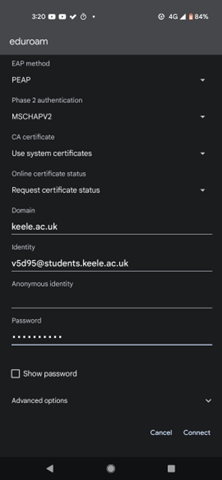
6. Click Connect.
You should now be connected to eduroam.