Events content types
University events have a date and keyword search facility here - Events. Events are categorised and are added to their own section with a year and month section. We also add an automatic listing to all year and month landing pages. If you want to discuss events, please contact the Web Support team via the Self-Service Portal.
If you already have access to the Events system please see the guide to adding events to the Keele website below.
University events have a date and keyword search facility here - Events. Events are categorised and are added to their own section with a year and month section (similar to the ‘News’ content structure):

We also add an automatic listing to all year and month landing pages by using either navigation object:
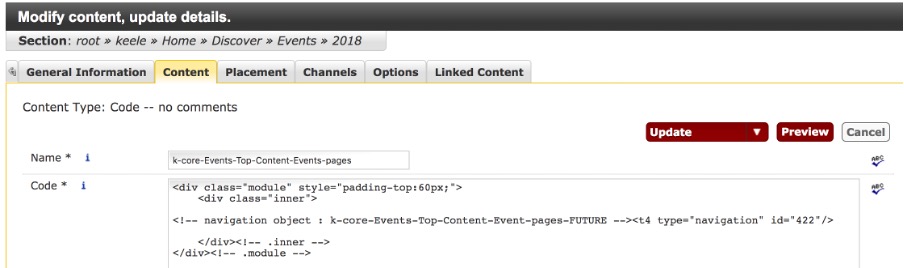
Or by using a k- Event category feeder content type (within the section for the feed) and choose the required category, like this:
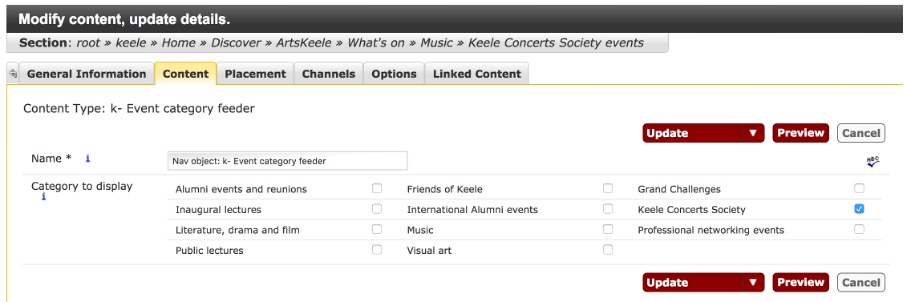
So we add all events centrally to allow users to filter and search those by dates and categories all in one search, but you can also feed the events to other pages based on categories (as shown above) e.g. Keele Concerts Society events on ArtsKeele pages.
The list of categories is currently changing as we are extending it to include all required events. If you want to discuss events or add another category to the feeder list, please get in touch with us - support.web@keele.ac.uk.
How to add an event
If or when you have access to the Discover » Events section, in order to add a new event you need to create a new section within the correct year and month of the event first.

You need to give it the same title as the name of the event. The path will look like this e.g.:
root » keele » Home » Discover » Events » 2018 » July » Three Counties Open Art Exhibition
Then you need to add content: k- Event content type
All * fields are compulsory. You can see more information about each filed in the description:
And more details when hovering over ‘i’ for more information:

It is important to optimise images for the web, please see guidance on image optimisation here.
Remember to choose options in both the available category lists:
a) 
And b) if required (this is the one used for the feeder template)