Adding CIDs to course pages
Adding course information documents to UG course pages.
When attaching a CID to a course page, the CID pdf needs to have it's 'media type' changed as it would have been bulk uploaded as PDF.
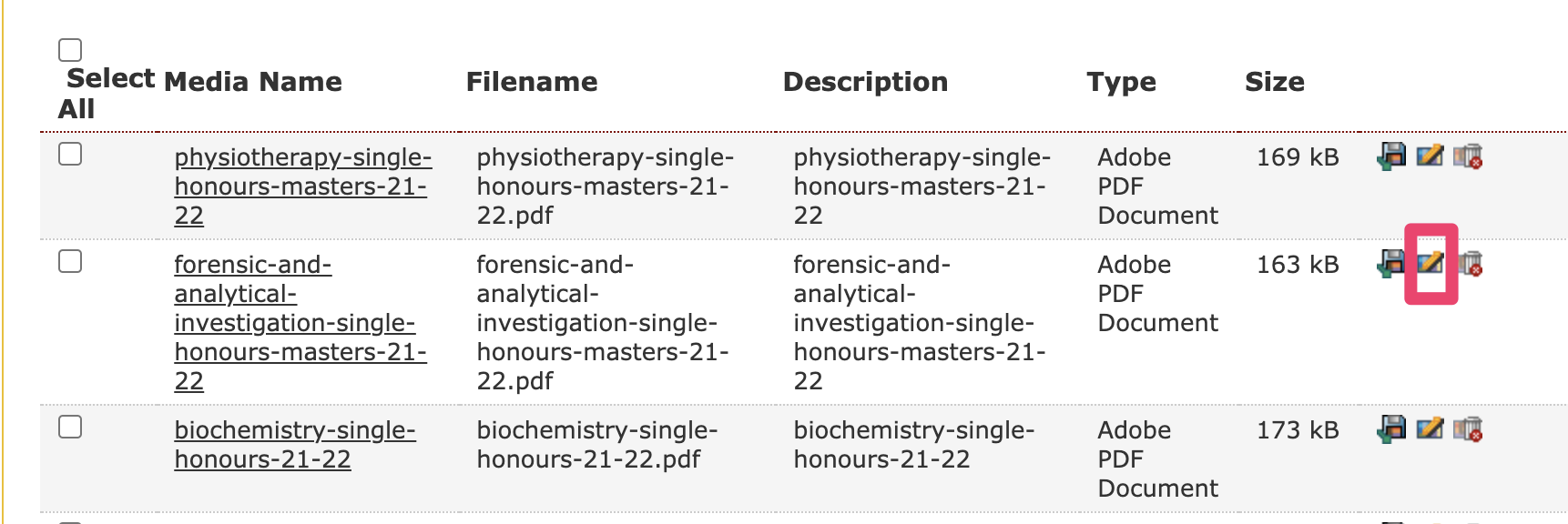
When in the relevant media library folder, e.g. ' Categorised -> Course Information Documents -> 2021-22', click on the 'modify' icon:
and then click on 'Change Media Type', and then choose 'Media path':
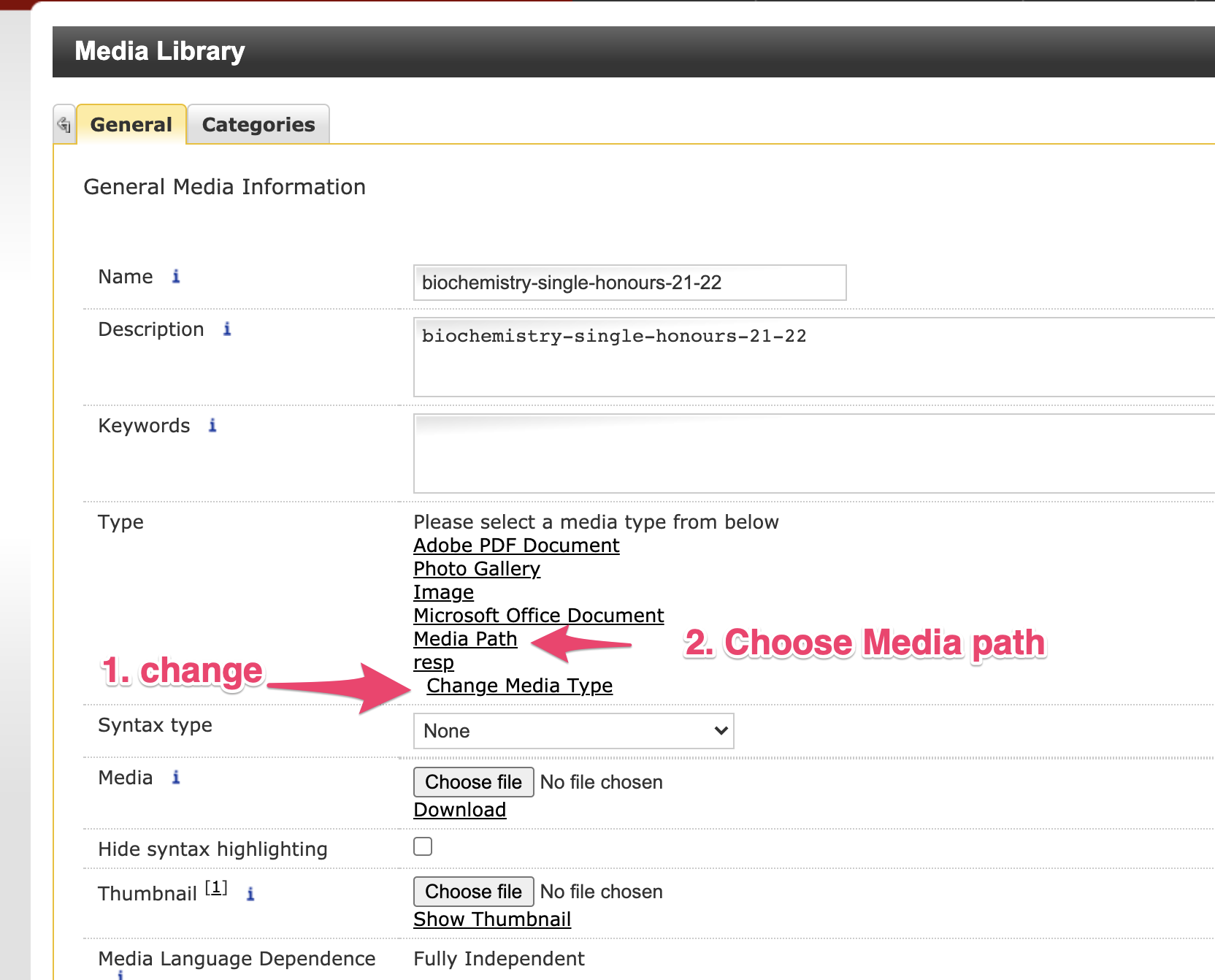
You can then update the document. The media is now ready to be used within the COURSE: Undergraduate template.